v1.0.0 Now Available

LeetCode GitHub Pusher

Automatically sync your successful LeetCode submissions to GitHub. Includes AI-powered explanations and complexity analysis.

two_sum.py
# Time: O(n) | Space: O(n)
class Solution:
    def twoSum(self, nums, target):
        prevMap = {} # val : index
        
        for i, n in enumerate(nums):
            diff = target - n
            if diff in prevMap:
                return [prevMap[diff], i]
            prevMap[n] = i
        return []

Why Use This Extension?

Auto-Sync Success

Forget manual uploads. We detect your successful submissions and push them to GitHub instantly.

🤖

AI-Powered Analysis

Get automatic time & space complexity analysis and detailed explanations added to your code.

🌍

Multi-Language

Supports Python, Java, C++, JavaScript, and every other language LeetCode supports.

Get Started in 4 Steps

1

Download & Install

First, download the source code and load it into your browser.

  1. Download the ZIP file.
  2. Open chrome://extensions.
  3. Enable Developer mode (top right).
  4. Click Load unpacked and select the folder.
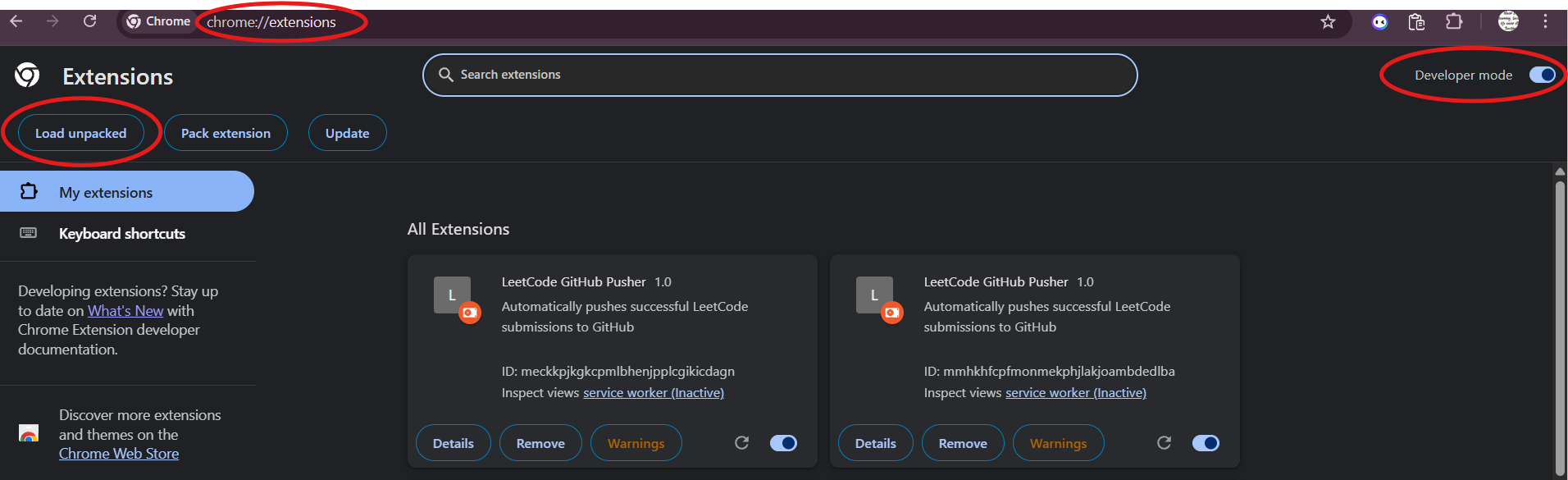
How to load unpacked extension
2

Prepare GitHub

You need a specific repository and a token to allow the extension to push code.

  1. Create a new repo named leetcode.
  2. Go to GitHub Tokens (classic).
  3. Generate a token with repo scope (Full control of private repositories).
  4. Set expiration to no expiry (recommended).
⚠️ Copy the token immediately!
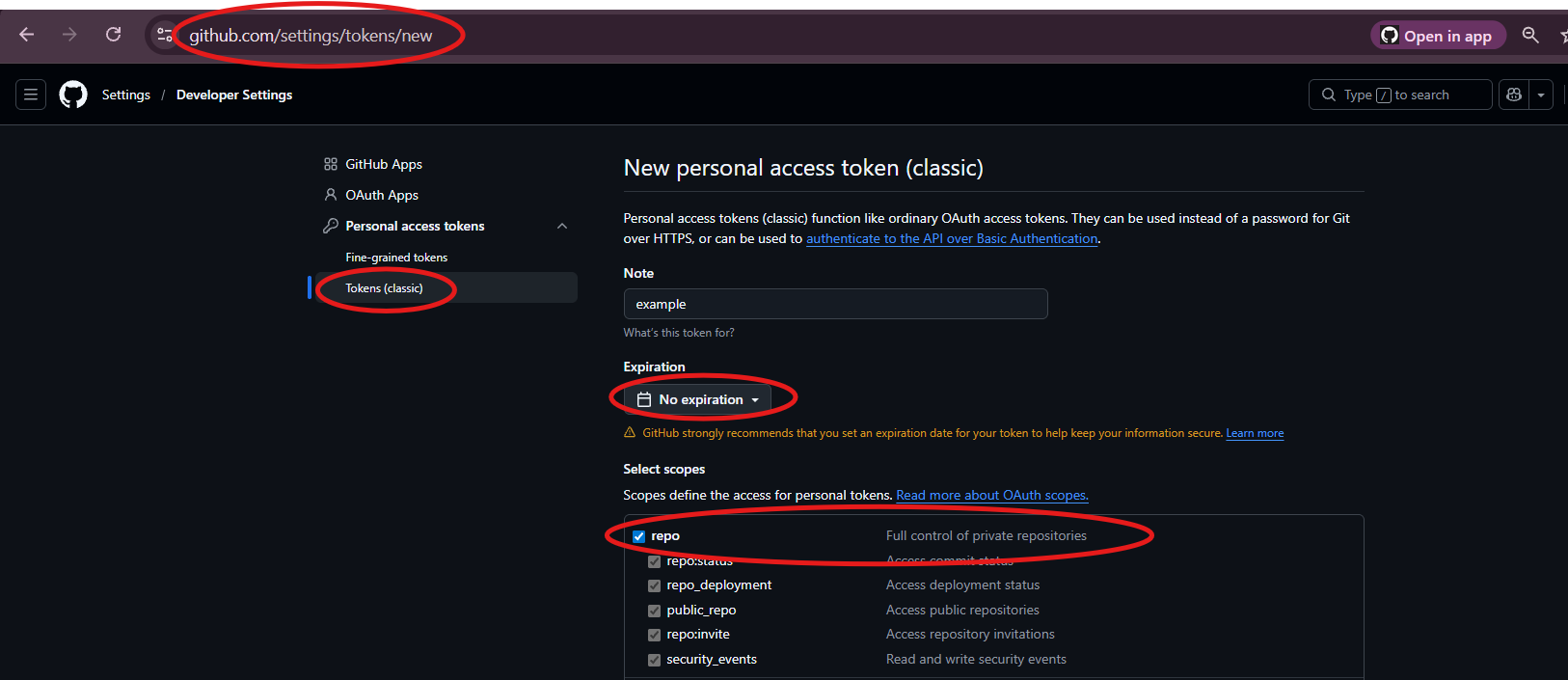
How to make a token
3

Configure

Connect the extension to your GitHub account.

  1. Click the extension icon 🧩.
  2. Enter your GitHub Username.
  3. Paste your Personal Access Token.
  4. Add your OpenRouter API Key (Required).
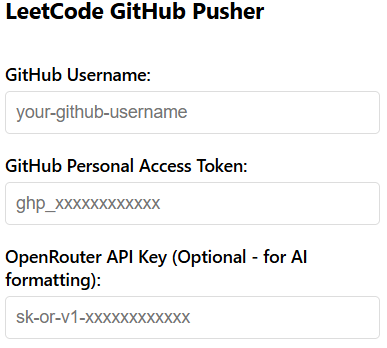
extension ui
4

Solve & Sync

The fun part! Just solve problems.

Go to any LeetCode problem, submit a solution, and once it's accepted, check your GitHub repo. It will be there automagically.